Table of Contents
ToggleSmart locks aren’t a novelty anymore, they’re practical tools that solve real problems. The Yale Assure series has quietly become one of the go-to options for homeowners who want keyless entry without turning their front door into a science experiment. Unlike some smart home gadgets that promise the moon and deliver frustration, Yale Assure locks focus on doing a few things really well: reliable keyless access, clean design, and straightforward installation that doesn’t require a networking degree. This guide walks through everything homeowners need to know before buying, installing, and living with a Yale Assure lock in 2026.
Key Takeaways
- The Yale Assure smart lock combines reliable mechanical quality (Grade 2 ANSI/BHMA rating) with modern keyless entry and Matter support for seamless integration with HomeKit, Google Home, and Alexa.
- Installation takes 30–60 minutes and requires only basic tools; the lock auto-detects door handing and supports 25 user codes with optional scheduling for contractors, guests, and multiple household members.
- Real-world battery life averages 10 months on four AA batteries, with a 9V emergency backup option and DoorSense magnetic sensor that prevents the locked-but-not-latched problem plaguing many competitors.
- The Assure Lock 2 retails around $260–$280 in 2026, positioning it at the premium end; budget-conscious buyers should consider the Wyze Lock or Schlage Encode alternatives.
- Physical key cylinder override (sold separately for $25–$35) provides a backup entry method if power or connectivity fails, making the Yale Assure suitable for homeowners skeptical of going fully keyless.
- Most common failure is bolt jamming from door misalignment or sag; Yale’s customer support is responsive, and the 2-year limited warranty typically covers electronic failures with unit replacement.
What Is the Yale Assure Smart Lock and Why It Stands Out
The Yale Assure is a keyless smart deadbolt that replaces a standard residential deadbolt (typically a 1-inch throw). It mounts on the interior side of the door, leaving the exterior minimal, no visible keyhole on most models, just a touchscreen or keypad. Yale offers several Assure variants: the Assure Lock 2 (current flagship with Matter support), the Assure Lock SL (slimmer profile), and older models still in circulation.
What sets Yale apart from competitors is the company’s lock pedigree. Yale has been manufacturing mechanical locks since 1840, so the core deadbolt mechanism is solid, this isn’t a tech startup bolting electronics onto flimsy hardware. The Assure line uses a motorized bolt with a clutch mechanism that can withstand forced entry attempts better than many budget smart locks.
The Assure Lock 2 introduced Matter compatibility in late 2023, which matters (no pun intended) if you’re running a multi-platform smart home. Matter is the new unified standard backed by Apple, Google, Amazon, and Samsung, so the lock works natively with HomeKit, Google Home, and Alexa without requiring separate modules. Older Assure models need brand-specific network modules (Z-Wave, Zigbee, or Wi-Fi) sold separately.
Most competing smart locks either skimp on the mechanical lock quality or overcomplicate the tech side. Yale strikes a reasonable middle ground.
Key Features That Make Yale Assure Worth Considering
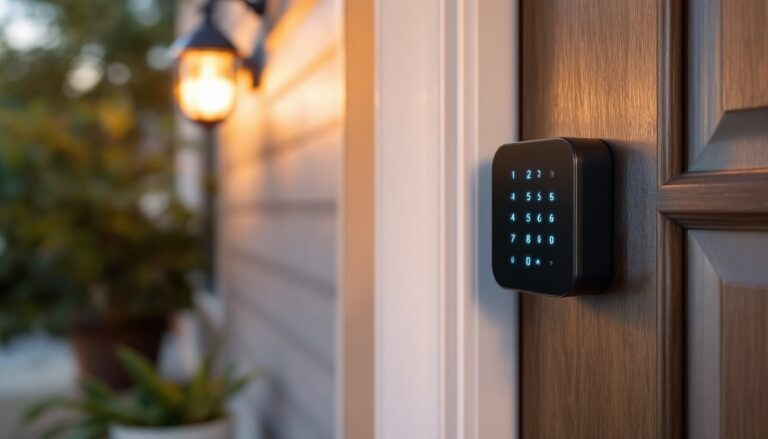
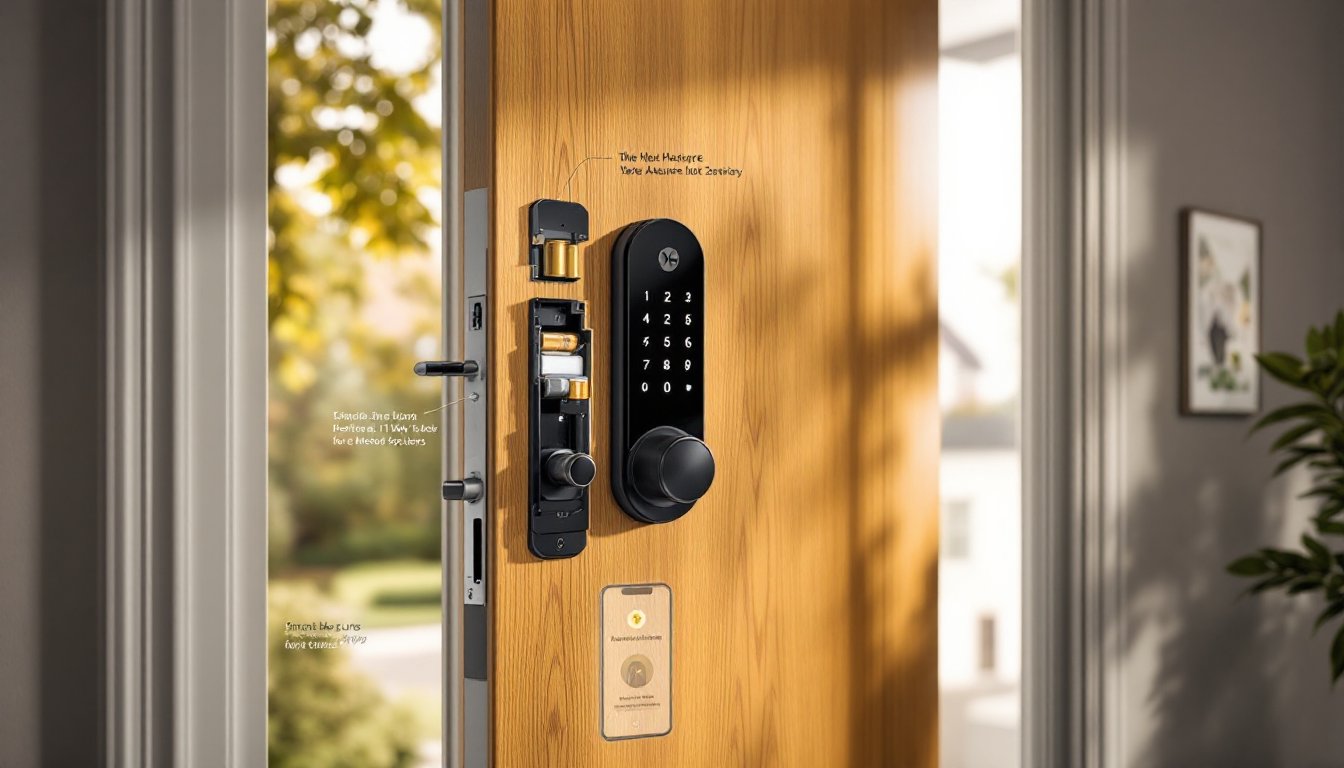
Keyless Entry Options: The Assure Lock 2 uses a backlit capacitive touchscreen for PIN codes (4–8 digits). Up to 25 user codes can be programmed, each with optional scheduling, handy for contractors, dog walkers, or Airbnb turnovers. The touchscreen activates with a touch, so there’s no hunting for buttons in the dark.
Auto-Lock and DoorSense: Auto-lock can be set to engage after 30 seconds to 3 minutes. The DoorSense feature (included on Assure Lock 2, optional on older models) uses a magnetic sensor to confirm the door is fully closed before locking. This prevents the “locked but not latched” problem that plagues many smart locks.
Matter and Smart Home Integration: Matter support means the lock connects directly to your home’s Thread network (a low-power mesh protocol) without a proprietary hub. You control it through Apple Home, Google Home, or Alexa. Geofencing auto-unlock works if your ecosystem supports it, HomeKit and Google Home do this reasonably well as of 2026.
Battery Life and Power: The lock runs on four AA batteries housed in the interior assembly. Yale claims 12 months of battery life under typical use (10–15 operations per day). Real-world reports vary from 8–14 months depending on wireless activity and cold weather. A 9V battery terminal on the exterior lets you jump-start the lock if the AAs die, just hold a 9V to the contacts and enter your code.
Physical Key Override: Unlike some fully keyless models, most Assure configurations offer an optional key cylinder insert (iButton module) for backup mechanical entry. If you lose power, forget codes, and your phone dies, the physical key still works. It’s sold separately for around $25–35.
Build Quality: The interior escutcheon is thick zinc alloy, not plastic. The bolt itself is hardened steel with a 1-inch throw and ANSI/BHMA Grade 2 rating (residential-grade security). That’s one step below Grade 1 (commercial), but adequate for most homes.
Installation Guide: How to Install Yale Assure Yourself
Installing the Yale Assure is a straightforward swap if your door already has a standard deadbolt. Budget 30–60 minutes for a first-time install. No special tools required beyond what’s in the box, but a drill with a 2-1/8″ hole saw is necessary if you’re installing on a door without an existing deadbolt.
Tools and Materials:
- Phillips screwdriver (provided)
- Tape measure
- Drill with 2-1/8″ hole saw and 1″ spade bit (only if drilling a new hole)
- Chisel and hammer (for mortising the strike plate and latch faceplate)
- Pencil
- Level
- Four AA batteries (usually included)
Step-by-Step Installation:
-
Remove the Old Deadbolt: Unscrew the interior mounting screws and pull both halves of the old lock free. Remove the latch bolt from the door edge.
-
Check Door Prep Dimensions: Standard deadbolt prep is a 2-1/8″ diameter hole (cross-bore) and a 1″ edge bore (latch bore) that intersect. Measure the backset, the distance from the door edge to the center of the hole. Most residential doors use a 2-3/8″ or 2-3/4″ backset. Yale Assure includes adjustable latch bolts for both.
-
Install the Latch Bolt: Insert the appropriate latch (2-3/8″ or 2-3/4″) into the edge bore. The angled side of the latch faces the direction the door closes. Screw the faceplate flush with the door edge. If it doesn’t sit flush, chisel out a shallow mortise so the faceplate is even with the wood.
-
Install the Strike Plate: On the door jamb, align the strike plate over the existing mortise. If you’re installing fresh, mark and chisel a recess so the strike sits flush. Use the 3″ screws provided, these bite into the wall stud behind the jamb and significantly improve kick-in resistance compared to the short screws that come with cheap locks.
-
Attach the Exterior Assembly: Feed the cable (or connector tailpiece on keypad models) through the latch and secure the exterior escutcheon with the provided adapter ring. Some Assure models are tool-free on the exterior: others use small set screws. Make sure it’s centered and snug.
-
Mount the Interior Assembly: Connect the cable to the interior lock module. Install the four AA batteries into the battery pack. Align the interior assembly over the mounting posts and secure with the two long screws. Don’t overtighten, snug is enough. The lock should sit flat against the door without gaps.
-
Test the Mechanical Operation: Before programming, manually extend and retract the bolt using the thumb turn. It should move smoothly with minimal resistance. If it binds, check that the latch is aligned with the strike.
Important Notes:
- Door Thickness: Yale Assure fits doors 1-3/8″ to 2-1/4″ thick. Check your door if it’s an old solid-core or steel door.
- Handing (Swing Direction): The lock auto-detects door handing during setup, so left-swing and right-swing doors use the same hardware.
- Permits and Codes: Installing a lock is cosmetic work: no permit required in any U.S. jurisdiction. If you’re drilling a new deadbolt hole in a fire-rated door in a condo or apartment, check your HOA rules, some restrict modifications.
Safety: Wear safety glasses when drilling. If you hit metal reinforcement or a steel door, switch to a bi-metal hole saw.
Setting Up and Configuring Your Yale Assure Lock
Once installed, the lock needs programming and pairing with your smart home system.
Initial Setup (Lock 2 with Matter):
- Wake the Touchscreen: Touch the keypad. It should light up and display a gear icon or setup prompt on first power-up.
- Create Master PIN: Follow the on-screen prompts. Enter a 4–8 digit master code, then re-enter to confirm. Avoid obvious codes (1234, your address).
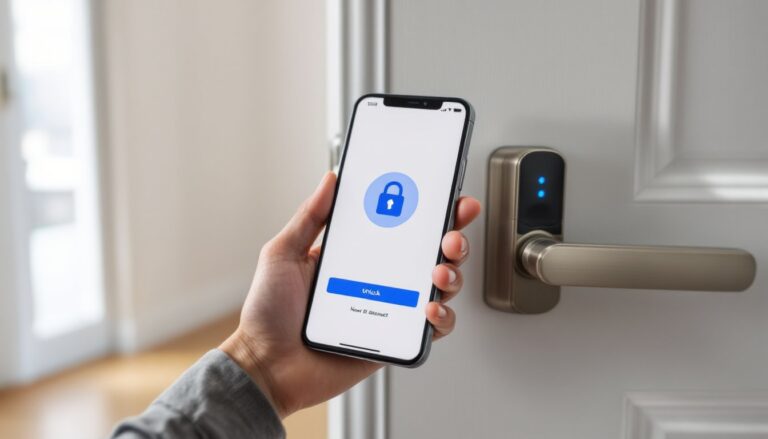
- Pair with Matter Controller: Open your smart home app (Apple Home, Google Home, or Alexa). Select “Add Device” and scan the Matter QR code included in the box or displayed on the lock screen. The lock joins your Thread network and appears in your app within 30–60 seconds.
- Add User Codes: In the Yale Access app (or through your smart home app, depending on the model), add user codes. Assign names and optional schedules. For instance, a house cleaner’s code can be active only on Tuesdays between 9 a.m. and noon.
- Enable Auto-Lock and DoorSense: In settings, toggle auto-lock and set the delay. If your lock has DoorSense, calibrate it by opening and closing the door a few times so the sensor learns the door’s position.
- Test Functionality: Lock and unlock from the keypad, the app, and via voice command (if integrated with Alexa or Google Assistant). Check that auto-lock engages after the set delay.
Older Models (Z-Wave/Zigbee/Wi-Fi Module):
If you have an older Assure Lock SL or original Assure, you’ll need to purchase a separate network module. Insert the module into the back of the interior assembly (it’s a small cartridge that slides into a slot). Then pair the lock with your Z-Wave/Zigbee hub (SmartThings, Hubitat, etc.) or use Yale’s Wi-Fi Connect module with the Yale Access app.
Tips for Reliable Operation:
- Firmware Updates: The lock automatically updates firmware over the network. Don’t interrupt power during updates (indicated by blinking lights).
- Battery Monitoring: Most smart home apps show battery level. Replace batteries when they drop below 20%. The lock gives audible warnings and flashes red at 10%.
- Guest Codes: Use scheduled codes for short-term guests. Delete them after the visit to keep the code list clean and secure.
- Location Services: For geofencing auto-unlock, enable location permissions for your smart home app. Test it carefully before relying on it, geofencing can be flaky depending on your phone’s GPS and network signal.
Real-World Performance: Pros and Cons from Homeowner Experience
What Works Well:
- Reliability: The Assure Lock 2 has a strong track record for consistent operation. Independent testing and user reviews confirm it locks and unlocks on command without the connectivity dropouts that plague some competitors.
- Clean Exterior Design: The no-keyhole look is sleek. Guests often don’t realize it’s a smart lock, which is a nice security bonus, no advertising that your door has electronics.
- Matter Integration: As of 2026, Matter support is maturing. The lock pairs quickly and stays connected through Thread networks, which are more stable than Wi-Fi-only locks.
- Good Battery Life: Real-world reports land around 10 months per battery set, which beats many smart locks that need fresh batteries every 4–6 months.
- Solid Build: The lock feels substantial. The bolt operates smoothly and the touchscreen is responsive even in cold weather (tested down to 10°F).
Where It Falls Short:
- Price: The Assure Lock 2 retails around $260–$280 as of early 2026. That’s on the higher end, though competitive with other premium smart locks like the Schlage Encode Plus.
- App Ecosystem Confusion: If you’re not using Matter, figuring out which network module you need (Z-Wave Plus, Zigbee, Wi-Fi) is confusing. Yale’s product lineup has too many SKUs with overlapping names.
- No Built-In Wi-Fi (Older Models): If you don’t have a smart home hub and want remote access on a non-Matter model, you have to buy Yale’s Wi-Fi module separately (~$50).
- Touchscreen in Direct Sun: In very bright sunlight, the touchscreen can be hard to read. Not a dealbreaker, but worth noting if your door faces south.
- Auto-Unlock Quirks: Geofencing auto-unlock works, but it’s slower and less reliable than the instant unlock you get from August or Kwikset Halo. Some users report delays of 10–20 seconds or missed triggers.
Failure Modes and Durability:
The most common issue reported in forums and reviews is bolt jamming due to door misalignment. If your door sags or the strike plate is slightly off, the motor can strain and fail prematurely. This isn’t unique to Yale, all smart locks suffer from this. The fix is to adjust the strike or plane the door edge so the bolt moves freely.
Electronic failures are rare, but warranty reports suggest that when they happen, Yale’s customer support is responsive and often replaces units under the 2-year limited warranty.
Is the Yale Assure Smart Lock Right for Your Home?
The Yale Assure is a strong pick if you value mechanical quality and don’t want to gamble on a no-name brand’s electronics. It’s especially suited for:
- Homeowners with existing smart home ecosystems: If you’re already running HomeKit, Google Home, or Alexa with Thread-enabled devices, the Assure Lock 2 integrates seamlessly.
- Households that need multiple user codes: Families, small landlords, or anyone managing access for contractors will appreciate the 25-code capacity and scheduling features.
- People who want a backup plan: The optional key cylinder provides peace of mind if you’re skeptical of going fully keyless.
- DIYers comfortable with basic tools: Installation is straightforward enough for anyone who’s swapped a deadbolt before.
Who Should Consider Alternatives:
- Budget-conscious buyers: If $260 is steep, the Wyze Lock or Schlage Encode (older Wi-Fi model) offer decent functionality for $150–180.
- Renters or temporary installs: The August Wi-Fi Smart Lock mounts over an existing deadbolt without altering the exterior, making it more renter-friendly.
- Instant auto-unlock fans: If you want your door to unlock the moment you walk up, August’s auto-unlock is still the best in the business.
Matter vs. Older Modules:
If you’re buying new in 2026, get the Assure Lock 2 with Matter. The older Z-Wave and Zigbee models are being phased out, and Matter is the future-proof choice. But, if you already own a Z-Wave hub and find a discounted Assure Lock SL, it’s still a solid lock, just not as flexible.
Security Considerations:
No smart lock is impervious, but the Assure’s Grade 2 mechanical rating and lack of exposed keyhole make it reasonably secure. The touchscreen is encrypted, and brute-force code attempts trigger a 60-second lockout after several failures. If you’re in a high-risk area, pair it with a 3″ strike plate screws, a reinforced door jamb, and good exterior lighting. The lock itself is less likely to be the weak point than your door frame or a nearby window.
Conclusion
The Yale Assure smart lock delivers where it counts: reliable keyless entry, solid build quality, and straightforward installation. It’s not the cheapest option, and it won’t blow you away with flashy features, but it does the job day in and day out without drama. For homeowners ready to ditch keys and willing to invest in a lock that should last a decade, the Assure Lock 2 is a safe bet.