Table of Contents
ToggleA smart refrigerator isn’t just a fridge with a tablet stuck on the door, it’s a Wi-Fi-enabled appliance that connects to your home network and smartphone, offering features like inventory tracking, remote temperature control, and integration with voice assistants. These connected units aim to reduce food waste, streamline grocery shopping, and centralize kitchen management. For homeowners considering a kitchen upgrade or remodel, understanding what sets these appliances apart from traditional models helps determine whether the premium price tag delivers real utility or just novelty.
Key Takeaways
- Smart refrigerators reduce food waste by 15-20% through internal cameras and inventory tracking, helping households monitor expiration dates and prevent duplicate purchases.
- A smart refrigerator connects to your home network via Wi-Fi, offering touchscreen displays, voice control integration, and remote access to view contents from your phone at the grocery store.
- Smart fridge premiums range from $1,000 to $3,700 above standard models, with ROI achievable in 18-24 months for households that waste significant food or frequently forget items while shopping.
- Before upgrading to a smart refrigerator, verify your home has adequate Wi-Fi coverage (minimum 10 Mbps), sufficient electrical capacity, and physical space, as these units protrude 33-36 inches from the wall.
- Smart refrigerator touchscreens and cameras can malfunction or become unsupported by manufacturers within 2-3 years, so prioritize brands like Samsung and LG that offer reliable long-term software updates.
How Smart Refrigerators Work: Technology Behind the Innovation
At their core, smart refrigerators use Wi-Fi connectivity to link with your home network, allowing communication between the appliance and a manufacturer’s app on your smartphone or tablet. Most models run on embedded operating systems, often Android-based or proprietary software, that power the touchscreen interface and manage connected features.
The fridge communicates with external devices through standard protocols like Zigbee, Z-Wave, or direct Wi-Fi. Voice control integration works through partnerships with Amazon Alexa, Google Assistant, or Samsung’s Bixby, depending on the brand. When a user asks Alexa to add milk to the shopping list, the request routes through the voice assistant’s cloud service to the fridge’s app ecosystem.
Internal sensors monitor temperature zones, humidity levels, and door status. High-end models include multiple cameras inside compartments that capture images when the door closes. These images sync to your phone via the cloud, letting you check what’s inside while you’re at the grocery store. Some units use weight sensors on shelves to detect when items are removed or added.
The appliance typically requires a dedicated 15- or 20-amp circuit, just like a standard refrigerator, but the smart features draw minimal additional power, usually less than 5 watts for the electronics. The compressor and cooling system operate identically to conventional fridges: the “smart” layer sits on top of proven refrigeration technology that meets ENERGY STAR efficiency standards when properly configured.
Key Features That Make a Refrigerator ‘Smart’
Not all smart fridges offer the same capabilities. Understanding which features matter for your household helps separate useful tech from gimmicks.
Touchscreen Displays and Voice Control
Most smart refrigerators include a touchscreen panel on the exterior door, ranging from 10 to 32 inches diagonally. These displays function as family hubs, showing calendars, weather, photos, and streaming music or video. Some models let you mirror your smartphone screen or access apps like Spotify, YouTube, or recipe databases without pulling out your phone.
Voice control allows hands-free operation when your hands are covered in flour or raw chicken. You can ask the fridge to preheat a connected oven, set timers, or add items to your shopping list. Integration quality varies, Samsung’s Family Hub series offers deep app ecosystems, while budget-friendly models may only support basic voice commands.
The touchscreen sits behind tempered glass and typically features a proximity sensor that wakes the display when you approach. Screens draw about 20-40 watts when active, similar to a small monitor. Most units let you disable the screen entirely to save energy or reduce visual clutter in minimalist kitchens.
Internal Cameras and Food Inventory Tracking
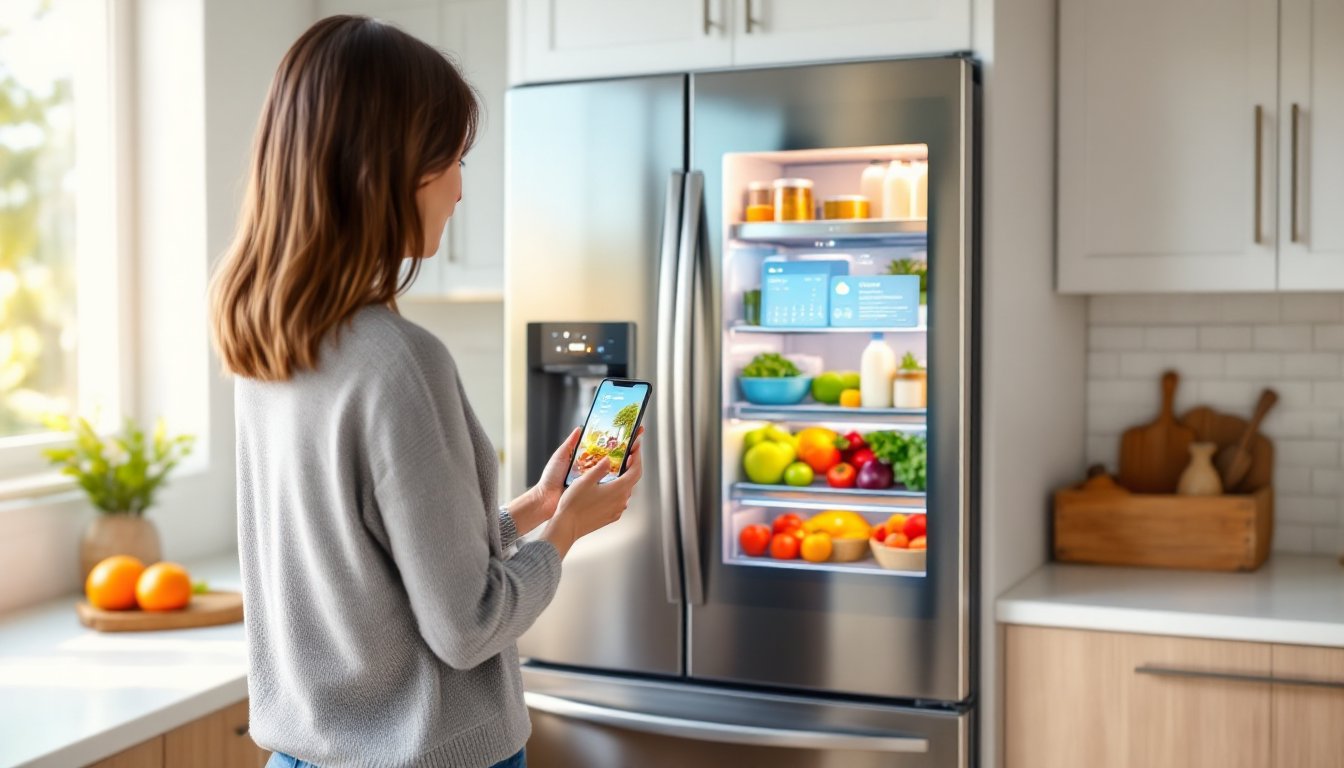
Internal cameras represent the most practically useful smart feature for many users. Typically, two or three wide-angle cameras mount inside the fridge, capturing photos each time the door closes. The images upload to the manufacturer’s app, giving you a real-time view of your fridge contents from anywhere with cell service.
This feature shines at the grocery store when you can’t remember if you need eggs or whether the milk is expired. The cameras don’t eliminate the need to check expiration dates manually, but they prevent duplicate purchases and reduce trips back to the store for forgotten items.
Advanced models use image recognition AI to identify specific foods and track inventory automatically. The system logs when you remove the orange juice and suggests adding it to your shopping list. Accuracy varies, the tech reliably identifies packaged goods with visible labels but struggles with loose produce or items in opaque containers.
Some units integrate with grocery delivery services. When inventory runs low, the fridge can generate a shopping list that syncs directly to Amazon Fresh, Instacart, or Walmart Grocery for one-tap ordering. Performance depends on the strength of your home Wi-Fi: a weak signal in the kitchen causes sync delays or failed uploads. Most manufacturers recommend a router within 30 feet of the appliance or a mesh network node nearby.
Benefits of Upgrading to a Smart Refrigerator
Smart refrigerators deliver measurable advantages beyond the cool factor, particularly for busy households managing multiple schedules and dietary needs.
Reduced food waste ranks as the primary benefit. According to studies, households using internal cameras and inventory tracking report 15-20% less spoiled food because they can monitor expiration dates and see what’s available before it gets shoved to the back of a shelf. The visual reminder prompts users to plan meals around existing ingredients rather than buying duplicates.
Grocery efficiency improves when you can verify inventory remotely. No more guessing whether you have enough butter for a recipe or making a second trip because you forgot the half-empty ketchup bottle. The shopping list feature syncs across family members’ phones, so anyone can add items as they run out.
Energy monitoring features in newer models track power consumption and alert you if the door seal fails or the compressor runs inefficiently. Some units send push notifications when the door stays open longer than 60 seconds, useful if kids forget to close it completely. Over a fridge’s 10-15 year lifespan, early detection of cooling issues can prevent spoiled food and costly repairs.
Integration with smart home ecosystems creates workflow efficiencies. When your fridge detects you’re low on ingredients for a saved recipe, it can trigger a routine that adds those items to your Alexa shopping list and sends a notification to your phone. Users who embrace home automation find Wi-Fi connectivity and remote monitoring helps centralize kitchen management alongside other connected appliances like ovens and dishwashers.
For households with dietary restrictions or meal prep routines, the ability to tag items with custom labels, “gluten-free,” “use by Friday,” “Dad’s lunch”, provides organization that standard fridges can’t match. The digital system replaces sticky notes and dry-erase markers that wear off or get ignored.
Are Smart Refrigerators Worth the Investment? Cost vs. Value
Smart refrigerators carry premium pricing, typically ranging from $2,200 to $6,500 depending on capacity, brand, and feature set. Standard fridges with comparable storage and efficiency ratings cost $1,200 to $2,800, meaning you’re paying $1,000 to $3,700 extra for the connected features.
Whether that premium delivers value depends on how you use the appliance. Families who grocery shop frequently, manage complex schedules, or prioritize reducing food waste see faster returns on investment. A household that wastes $150/month in spoiled food could recoup the smart fridge premium in 18-24 months through better inventory management.
But, smart features add complexity and potential failure points. Touchscreens can malfunction, software requires updates, and app support may end if the manufacturer discontinues the model line. Most brands offer 1-year warranties on electronics, but repairs for failed screens or cameras typically cost $300-$800 out of pocket. The refrigeration components, compressor, evaporator, condenser, carry standard warranties (often 5-10 years on sealed systems), but the smart features age faster than mechanical parts.
Buyers should also consider ongoing costs. While the fridge itself doesn’t require subscriptions, some advanced features like extended cloud storage for camera images or premium recipe databases may involve monthly fees after an initial free period. Read the fine print before purchasing.
For budget-conscious DIYers, adding a smart plug and temperature sensor to a standard fridge provides basic remote monitoring for under $50, though you lose the internal cameras and integrated features. It’s a workaround, not a replacement, but it demonstrates that many “smart” benefits can be approximated with aftermarket devices.
From a resale perspective, smart refrigerators and connected kitchen appliances appeal to tech-forward buyers but may deter traditionalists who see them as over-engineered. If you’re remodeling to sell, consult your realtor about whether your market values high-tech kitchens.
Choosing the Right Smart Refrigerator for Your Home
Start by measuring your existing space. Smart fridges tend to run deeper than standard models due to the electronics and insulation, a typical unit protrudes 33-36 inches from the wall versus 30-32 inches for non-smart versions. Counter-depth models fit flush with cabinetry but sacrifice 2-4 cubic feet of interior capacity.
Match capacity to household size. A family of four needs 20-25 cubic feet of total space: larger families or those who bulk-shop should target 28-32 cubic feet. Don’t overbuy, oversized fridges waste energy and floor space in average kitchens.
Evaluate your home network infrastructure. Smart fridges perform best on dual-band routers (2.4 GHz and 5 GHz). If your kitchen currently has weak Wi-Fi, budget for a mesh extender or upgrade your router before installing the appliance. Most manufacturers recommend minimum speeds of 10 Mbps for smooth camera uploads and streaming features.
Prioritize features based on your household’s habits:
• Families with kids: Look for door alarms, internal cameras, and robust parental controls on the touchscreen.
• Frequent entertainers: Prioritize models with ice/water dispensers, adjustable shelving, and quick-chill zones.
• Meal preppers: Focus on inventory tracking, expiration date alerts, and integration with recipe apps.
• Tech enthusiasts: Choose models with open API support or SmartThings compatibility for advanced home automation.
Check brand reputation for software support. Samsung and LG lead in smart fridge development, with regular app updates and feature additions. Lesser-known brands may offer lower prices but risk abandoning software support within 2-3 years, leaving you with an expensive standard fridge.
Finally, confirm that installation fits your DIY skill level. Smart fridges weigh 250-400 pounds and require a helper to move safely. You’ll need to connect the water line if the model includes an ice maker or dispenser, a straightforward job if you’re comfortable with basic plumbing, but worth hiring a pro if you’re not. Electrical requirements match standard fridges (no special wiring), but you may need to pull the unit out slightly for Wi-Fi setup during initial configuration.
Smart refrigerators represent a meaningful upgrade for households ready to embrace connected kitchen technology, but they’re not essential for everyone. Assess your actual needs, budget for the premium, and ensure your home infrastructure supports the features you’re paying for. When chosen and used properly, these appliances deliver convenience and efficiency that traditional models can’t match, just don’t expect them to replace good meal planning and grocery habits.