Table of Contents
ToggleShopping for a smart thermostat on Amazon can save homeowners up to 23% on heating and cooling costs, but only if they choose the right device for their system. With dozens of models ranging from $50 budget units to $250 premium devices, the selection is overwhelming, and not every thermostat works with every HVAC setup. This guide cuts through the noise, explaining which Amazon-available smart thermostats deliver real value, what features actually matter for energy savings, and how to avoid compatibility headaches during installation. Whether someone’s upgrading a builder-grade dial thermostat or replacing a failed programmable unit, they’ll find practical guidance that goes beyond star ratings.
Key Takeaways
- A smart thermostat Amazon purchase can reduce heating and cooling costs by up to 23%, but compatibility with your HVAC system is critical before selecting a model.
- Budget-friendly options like the Amazon Smart Thermostat ($55–80) and Wyze Thermostat ($65–75) deliver comparable energy savings to premium models, making them ideal for cost-conscious homeowners.
- HVAC compatibility—specifically checking for the C-wire (common wire) or planning for a $20–30 adapter—is the most common installation hurdle when setting up smart thermostats.
- Temperature setbacks of 7–10°F for 8-hour periods, combined with geofencing and room sensors, can deliver a 10–15% reduction in HVAC runtime, translating to $15–30 in monthly savings.
- Amazon’s 30-day return policy, Prime shipping, and crowdsourced customer reviews on heat pump compatibility and C-wire workarounds provide practical installation insights that manufacturer specs don’t offer.
Why Choose Amazon for Your Smart Thermostat Purchase?
Amazon offers several advantages for smart thermostat buyers beyond simple convenience. Prime shipping means two-day delivery in most areas, which matters when a homeowner’s old thermostat dies mid-winter. Return policies are straightforward, 30 days for most electronics, no restocking fees, giving DIYers room to test compatibility with their HVAC system before commitment.
The platform’s aggregated customer reviews provide real-world installation feedback that manufacturer websites rarely show. Buyers can filter reviews by verification status and search for specific terms like “heat pump compatibility” or “C-wire workaround” to spot common issues. This crowdsourced troubleshooting beats spec sheets for practical insight.
Pricing on Amazon tends to run 10-15% below big-box retailers for identical models, especially during Prime Day, Black Friday, or seasonal HVAC promotions. Third-party sellers compete with Amazon’s direct pricing, and price-tracking tools like CamelCamelCamel reveal historical lows. For budget-conscious renovators, that price difference can fund the C-wire adapter or professional installation help if needed.
Amazon’s integration with its own ecosystem matters for households already invested in Alexa devices. Native voice control works more reliably than third-party integrations, and routines can link thermostat adjustments to door sensors, motion detectors, or schedules without additional hubs.
Top Smart Thermostats Available on Amazon in 2026
Best Budget-Friendly Options
The Amazon Smart Thermostat (developed with Resideo) remains the value leader at around $80, dropping to $55-60 during promotions. It requires a C-wire (common wire) for power, a deal-breaker in older homes without one unless someone adds an adapter. The device supports basic scheduling, geofencing through the Alexa app, and Energy Star certification. Tom’s Guide’s testing showed it reduces energy consumption comparably to models costing twice as much. It works with most 24V HVAC systems (gas, oil, electric, heat pump) but lacks support for multi-stage heating or humidifier control.
The Wyze Thermostat ($65-75) offers similar features with one advantage: it includes a C-wire adapter in the box. Installation takes about 30 minutes for someone comfortable with basic electrical work. The Wyze app allows temperature adjustments from anywhere, and it integrates with Google Assistant and Alexa. The tradeoff is a less polished interface and occasional connectivity hiccups reported in customer reviews.
Emerson Sensi Touch ($130-150) bridges the budget and mid-range gap. It doesn’t require a C-wire in most installations, drawing power from the heating circuit instead. The full-color touchscreen looks more upscale than the Amazon or Wyze models, and it supports professional monitoring systems like AlertOne, useful for homeowners with existing security setups.
Premium Smart Thermostats Worth the Investment
The Google Nest Learning Thermostat (4th generation, $230-250) remains the benchmark for adaptive learning. It auto-adjusts based on occupancy patterns, typically learning household schedules within a week. The Farsight feature lights up the display when someone enters the room, showing time, weather, or target temperature from across a room. It works with most 24V systems including dual-fuel setups, but installation in homes without a C-wire requires the included Power Connector, a 15-minute add-on task.
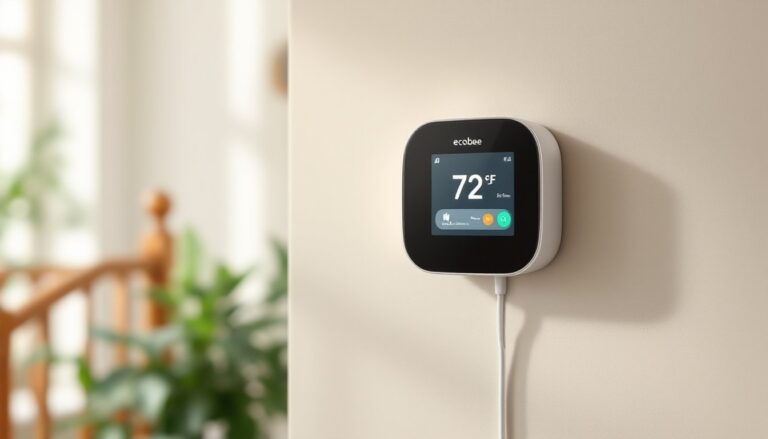
The Ecobee SmartThermostat Premium ($220-240) includes a remote room sensor in the box, solving hot/cold spot issues in multi-level homes. The sensor communicates wirelessly up to 60 feet, averaging temperatures across rooms so the main floor doesn’t freeze while heating a cold basement. Built-in air quality monitoring tracks VOCs and alerts homeowners when to change HVAC filters. Its Alexa integration is native, the thermostat has a speaker and mic, functioning as an Echo device.
Honeywell Home T9 ($170-200) offers a middle ground: learning capabilities, room sensors (sold separately), and compatibility with older systems that trip up other smart models. It supports single-stage heat pumps without auxiliary heat, a configuration common in 1980s-1990s construction. The app allows up to four room sensors, letting users prioritize which spaces matter most at different times of day.
Key Features to Look for When Shopping on Amazon
HVAC Compatibility tops the list. Before clicking “add to cart,” homeowners should photograph their existing thermostat’s wiring or check the furnace control board. Key wires include:
- R (red): 24V power from transformer
- C (blue or black): Common wire, required by most smart thermostats
- W (white): Heat
- Y (yellow): Cooling
- G (green): Fan
Heat pump systems add O or B (reversing valve), and multi-stage systems use W2 or Y2 for second-stage heating/cooling. Every smart thermostat on Amazon lists compatible wire configurations, cross-reference before buying. A mismatch means returns, delays, and a cold house.
Geofencing accuracy varies widely. Budget models ping location every 15-30 minutes, which works for predictable schedules but wastes energy if someone runs quick errands. Premium units check every 5 minutes and support multiple user tracking, adjusting only when the last person leaves. Check reviews on platforms like CNET for real-world geofencing performance, manufacturer claims often outpace reality.
Energy reporting helps quantify savings. Basic models show runtime hours: better ones break down heating vs. cooling costs and compare usage month-over-month. The most useful reports estimate dollar savings based on local utility rates, entered during setup. Without this feedback loop, homeowners can’t tell if their new thermostat is earning its keep.
Smart home ecosystem compatibility determines whether the thermostat plays nicely with existing devices. Alexa-first households should prioritize native Alexa support over retrofitted Skills. Google Home users want Assistant integration that allows temperature adjustments via voice or routines. Apple HomeKit support remains rare, only the Ecobee and Honeywell T9 offer it as of 2026.
Screen quality and controls matter more than expected. Touchscreens with poor viewing angles frustrate users, especially in bright hallways. Physical buttons provide tactile feedback for quick adjustments without unlocking a phone. Some premium models offer scheduled screen dimming to avoid nighttime glow in bedrooms or hallways.
Installation Tips for Amazon-Purchased Smart Thermostats
Turn off power at the breaker before touching any wiring, not just at the old thermostat. HVAC systems run on 24V, which won’t kill someone, but short-circuiting the transformer can fry a $150 control board. Use a non-contact voltage tester ($15-20) to confirm the circuit is dead.
Label existing wires before disconnecting anything. Most smart thermostats include sticker labels: alternatively, use masking tape and a Sharpie. Take a photo of the old wiring configuration as backup. If wires retract into the wall when disconnected, fish them out with needle-nose pliers before they disappear.
The C-wire issue trips up most DIY installations. If the old thermostat has a blue or black wire tucked unused behind the backplate, connect it to the C terminal, problem solved. If there’s no C-wire at the thermostat, check the furnace control board. Many systems have an unused C terminal there: running a new wire from furnace to thermostat solves the issue permanently. For two-story homes or long wire runs, consider hiring an HVAC tech for this part, fishing wire through finished walls isn’t fun.
C-wire adapters (included with some models, $20-30 standalone) work by borrowing power from the G (fan) circuit. Installation takes 10 minutes at the furnace control board: connect two wires per instructions, plug in the adapter module, and the thermostat draws power through existing wiring. This workaround works for 90% of systems but can cause issues with multi-speed fan controls, check compatibility.
Once wiring is connected, level the thermostat before tightening the backplate screws. Most models have a built-in bubble level or display a leveling screen during setup. A crooked thermostat screams “amateur hour” and can interfere with touchscreen accuracy on edge taps.
System testing should cycle through heating, cooling, and fan modes. Let each run for 2-3 minutes to confirm proper operation. If the heat doesn’t kick on, double-check the Rc vs. Rh jumper, some systems require separate power for heating and cooling. If cooling seems weak, verify the Y wire is firmly seated. Many support forums on Digital Trends offer troubleshooting threads for specific error codes.
Permit requirements vary by jurisdiction. Most areas don’t require permits for thermostat replacement (it’s low-voltage control wiring), but adding a C-wire or modifying furnace wiring sometimes does. Check local codes, the fine for unpermitted electrical work ranges from warnings to $500+ citations.
Maximizing Your Smart Thermostat’s Energy-Saving Potential
Temperature setbacks drive the biggest savings. The Department of Energy recommends 7-10°F adjustments for 8-hour periods daily. For every degree of setback over 8 hours, homeowners save roughly 1% on heating/cooling costs. A thermostat set to 68°F all day costs significantly more than one programmed for 62°F during work hours and overnight. Smart thermostats automate this, no need to remember manual adjustments.
Geofencing works best when combined with a 30-60 minute pre-heating/cooling buffer. Arriving home to a cold house defeats the purpose: smart thermostats can calculate arrival time based on phone location and start the system early. Adjust the buffer seasonally, heat pumps need longer lead times than forced-air gas furnaces.
Room sensors (for compatible models) prevent wasted energy on empty spaces. Place sensors in frequently occupied rooms: home office, bedroom, living room. Skip the guest room or formal dining room unless regularly used. Sensors should mount on interior walls away from direct sunlight, vents, and exterior walls, which skew temperature readings.
Filter maintenance affects efficiency more than thermostat settings. A clogged filter reduces airflow, forcing the system to run longer for the same temperature change. Smart thermostats track runtime hours and send filter change reminders, typically every 30-90 days depending on filter type and household (pets and high dust loads shorten intervals). A $5 filter change can save $20+ monthly in wasted energy.
Energy reports reveal usage patterns. If the system runs constantly during mild weather, the thermostat’s temperature swing setting might be too tight. Allowing a 0.5-1°F swing before restarting the system reduces cycling and compressor wear. Conversely, wide swings (2°F+) cause comfort issues, finding the sweet spot takes a few weeks of observation.
Integration with other smart devices compounds savings. Door/window sensors can pause heating/cooling when someone leaves a window open. Smart blinds can close during peak sun hours, reducing AC load. Motion sensors in rarely used rooms can trigger localized setbacks. These integrations require a hub (Alexa, Google Home, or SmartThings) and some setup time, but they address inefficiencies that thermostats alone can’t catch.
Avoid the temptation to manually override schedules constantly, smart learning requires consistent data. Frequent overrides confuse adaptive algorithms, causing erratic behavior. Give the system 2-3 weeks to learn patterns before tweaking settings. Most users see a 10-15% reduction in HVAC runtime after the learning period, translating to $15-30 monthly savings depending on climate and system efficiency.